%20scale(0.09084)'%3e%3cg%20transform='translate(0%2039.5)'%3e%3cpath%20d='M198%20165H806C850%20165%20880%20211%20860%20250L823%20306C804%20335%20774%20337%20734%20337H263C224%20337%20203%20323%20179%20291L154%20257C126%20218%20150%20165%20198%20165Z'/%3e%3cpath%20d='M514%20346C555%20342%20624%20348%20704%20362L719%20365C759%20373%20772%20408%20752%20442L712%20485C684%20519%20655%20527%20613%20518L538%20498C505%20491%20490%20364%20514%20346Z'/%3e%3cpath%20d='M511%20346C464%20361%20414%20405%20384%20455C350%20512%20352%20575%20383%20628C400%20666%20437%20725%20470%20758C487%20787%20531%20787%20547%20758L586%20689C602%20661%20583%20628%20568%20600L514%20509C486%20462%20472%20378%20511%20346Z'/%3e%3c/g%3e%3c/g%3e%3cg%20transform='translate(78.6%2017.6)'%3e%3cpath%20d='M46.5%200.5H0.5V10.5H18.5V47H29V10.5H46.5V0.5Z'%20fill='white'/%3e%3cpath%20d='M49.5%2047V0.5H60V18H86.5V0.5H97V47H86.5V28.5H60V47H49.5Z'%20fill='white'/%3e%3cpath%20d='M148.5%200.5H160.5L175%2018L189%200.5H212.5L232%2033L250.5%200.5H263L236%2047H227.5L201%202L180.5%2029.5V47H169.5V29.5L148.5%200.5Z'%20fill='white'/%3e%3cpath%20d='M264.5%200.5H307.5V11H275V18.5H301V29H275V36.5H307.5V47H264.5V0.5Z'%20fill='white'/%3e%3cpath%20fill-rule='evenodd'%20clip-rule='evenodd'%20d='M101.5%200.5V47H112V32H125.5L138%2047H148.5V43L139%2032C142.167%2031%20148.5%2027.6%20148.5%2022V10.5C148.167%207.16667%20145.8%200.5%20139%200.5H101.5ZM112%2021V10.5H118.75H125.5H138V21H125.5H118.75H112Z'%20fill='white'/%3e%3cpath%20d='M101.5%200.5V47H112V32H125.5L138%2047H148.5V43L139%2032C142.167%2031%20148.5%2027.6%20148.5%2022M101.5%200.5C111.167%200.5%20132.2%200.5%20139%200.5M101.5%200.5H139M148.5%2022C148.5%2016.4%20148.5%2012%20148.5%2010.5M148.5%2022V10.5M148.5%2010.5C148.167%207.16667%20145.8%200.5%20139%200.5M112%2010.5V21H118.75H125.5H138V10.5H125.5H118.75M112%2010.5C112%2010.5%20116.114%2010.5%20118.75%2010.5M112%2010.5H118.75M0.5%200.5H46.5V10.5H29V47H18.5V10.5H0.5V0.5ZM49.5%200.5V47H60V28.5H86.5V47H97V0.5H86.5V18H60V0.5H49.5ZM160.5%200.5H148.5L169.5%2029.5V47H180.5V29.5L201%202L227.5%2047H236L263%200.5H250.5L232%2033L212.5%200.5H189L175%2018L160.5%200.5ZM307.5%200.5H264.5V47H307.5V36.5H275V29H301V18.5H275V11H307.5V0.5Z'%20stroke='white'/%3e%3cpath%20d='M158.5%2053.5H192.5V56.5H158.5V53.5Z'%20fill='white'/%3e%3c/g%3e%3c/svg%3e)
Motorcycle guide
How to Record a Motorcycle Ride
Learn how to record a motorcycle ride with THRYVE Communities, including your route, distance, speed, duration, ride history, and photos.
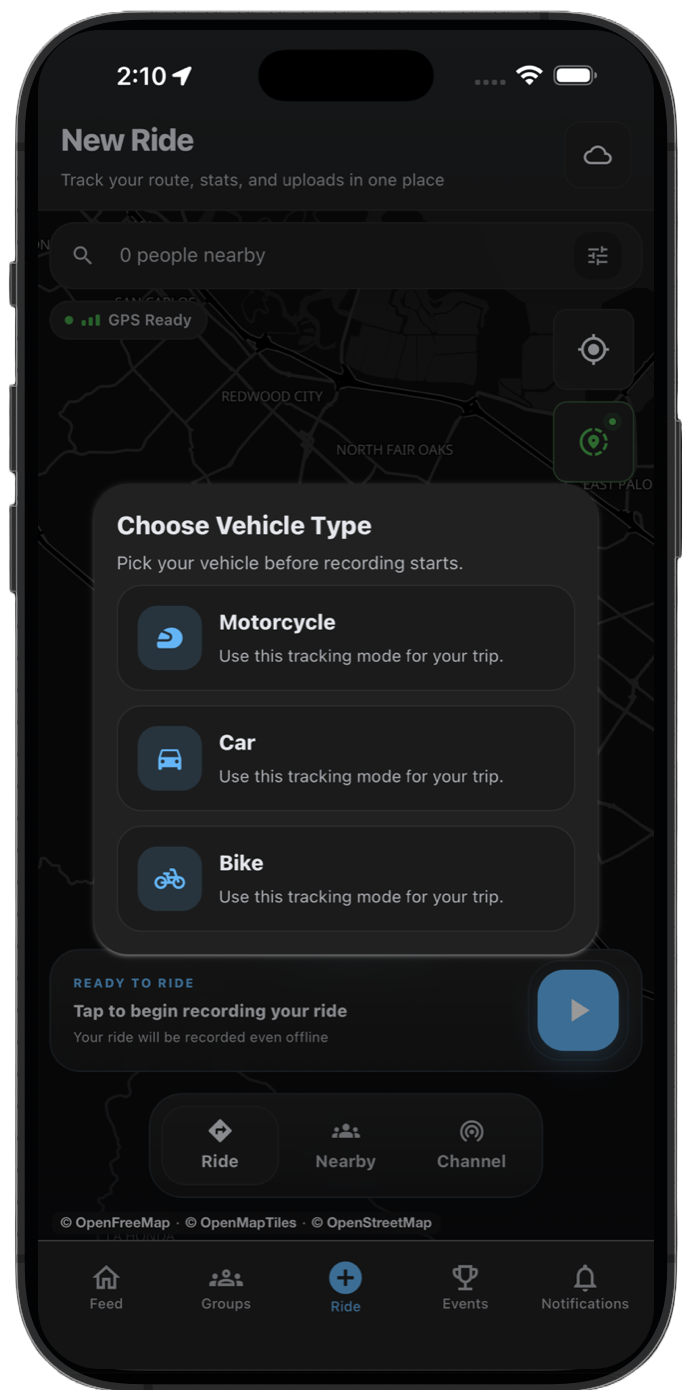
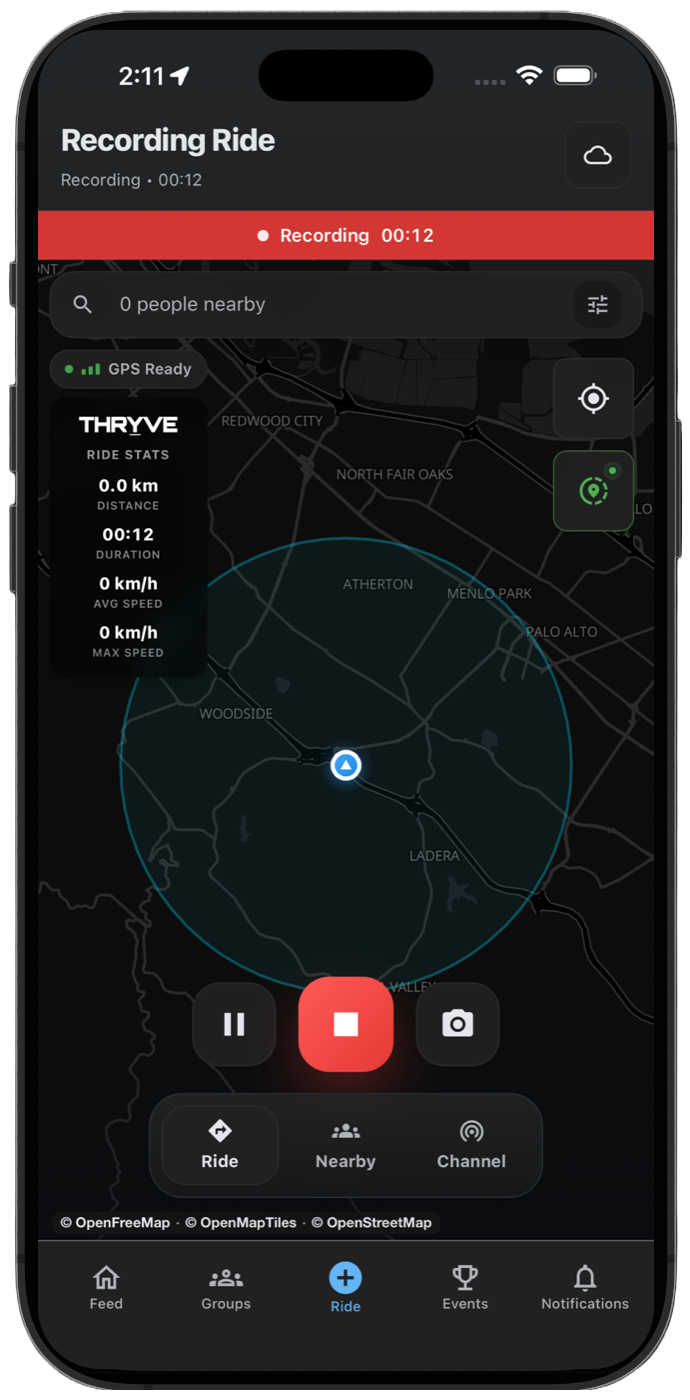
You can use THRYVE Communities to record your motorcycle ride with your phone GPS. Your recorded route, distance, duration, speed, ride history, and photos are saved to your THRYVE account so you can review and share the ride later.
THRYVE is built for solo rides, group rides, rider meetups, official events, and everyday route history. The same recording flow works whether you are tracking a short city ride or a longer weekend route.
Before Starting Your Motorcycle Ride
Open THRYVE before leaving and make sure location access is enabled. For the most accurate route, allow precise location and keep background location permissions active while recording.
On Android, allow THRYVE to use location while the app is open and remove battery restrictions before a long ride. On iPhone, allow location access while using the app, keep precise location on, and avoid force-quitting THRYVE while recording.
- Enable location permissions for THRYVE.
- Allow precise location when your phone asks.
- Keep enough battery for the full route.
- Mount your phone where it can keep a stable GPS signal.
Start Recording in THRYVE
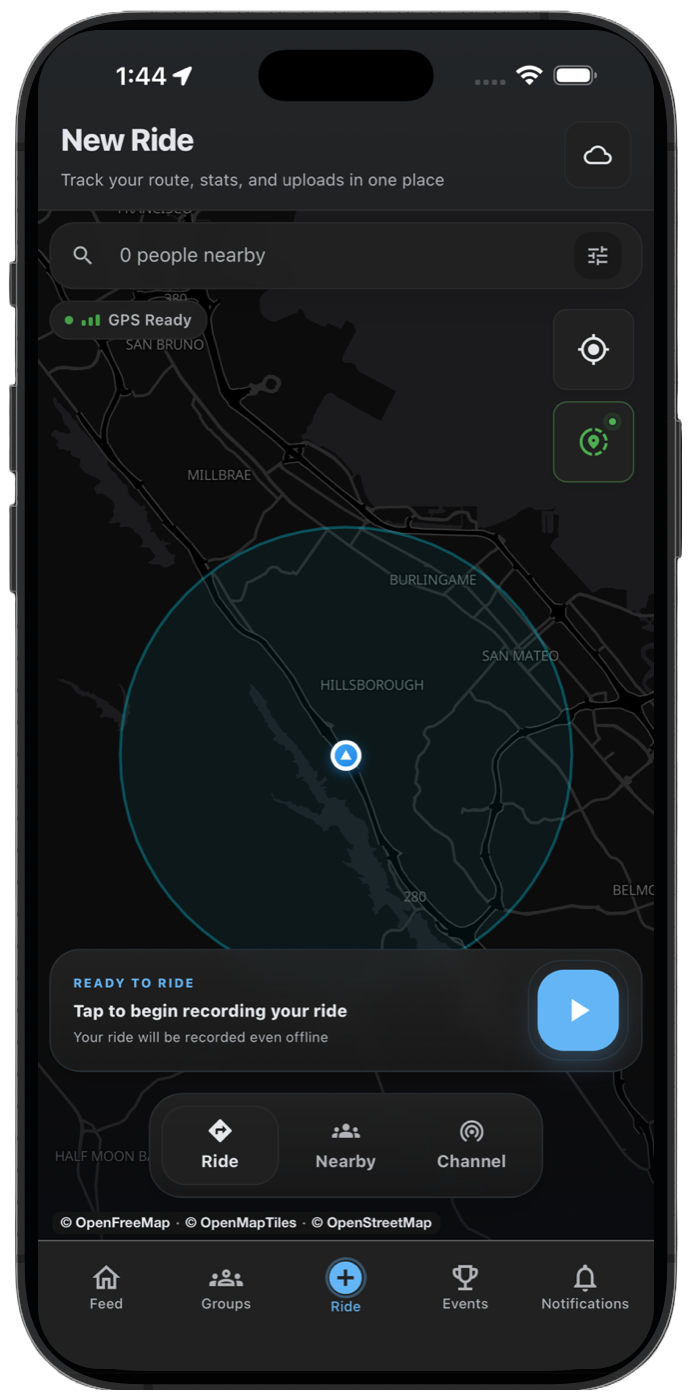
Tap the center button on the bottom tab bar, wait for GPS to settle, then tap Start and choose Motorcycle. THRYVE begins tracking your route, distance, ride time, and speed.
For group rides or events, start recording before the route begins so the full activity is saved from the first checkpoint or meetup point.
- Open THRYVE and go to the ride recording screen.
- Check that location permission is active.
- Tap Start, then select Motorcycle when you are ready to begin riding.
- Keep THRYVE recording until the route is complete.
View Live Route and Ride Stats
While recording, THRYVE shows your route and live ride stats. You can use the recording view to see distance, duration, speed, and current location as the ride continues.
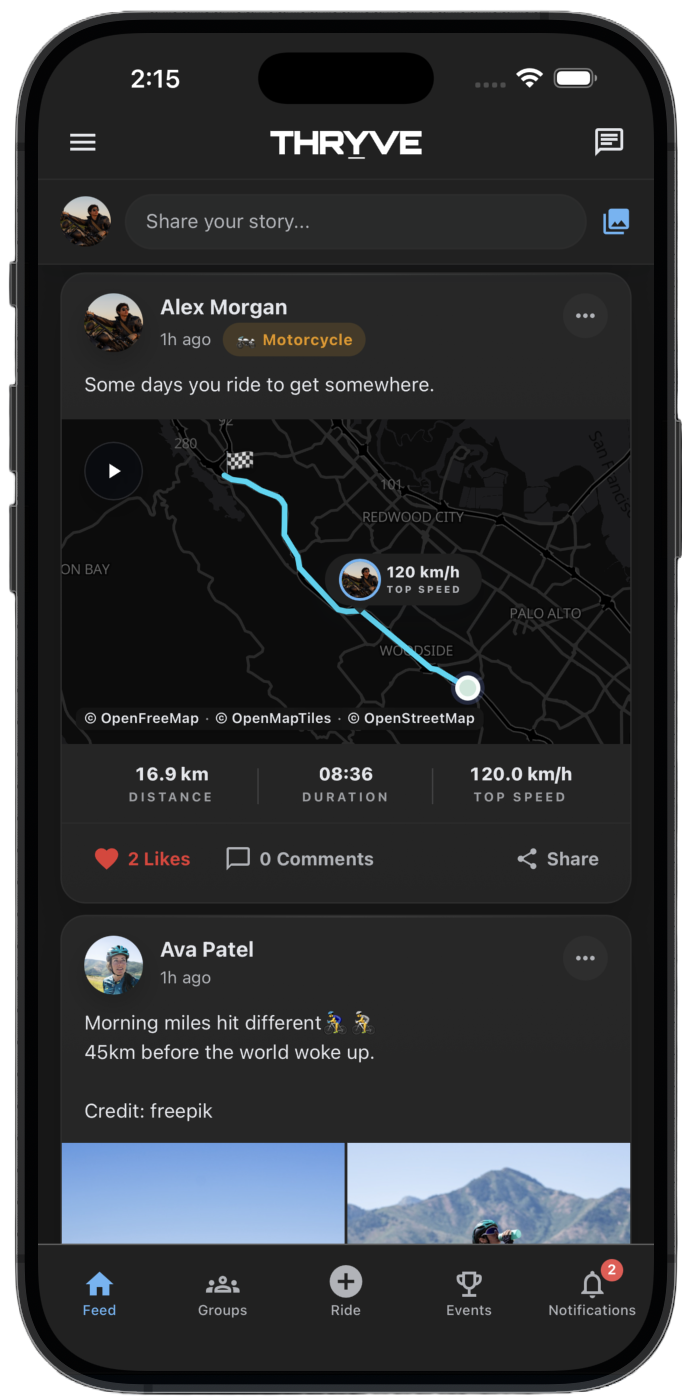
The saved route gives you a motorcycle ride history you can return to later, including the path you took and the stats from the ride.
- Route trace
- Distance
- Duration
- Current speed
- Max speed
- Start and end points
Pause, Resume, and Finish
If you stop for fuel, food, or a meetup, pause the ride and resume when you are moving again. When the ride is complete, end the recording and review the summary before saving.
After saving, you can add photos and a caption so your motorcycle ride is easier to recognize in your feed and history.
- Tap Pause when you stop and do not want that time counted.
- Tap Resume before continuing the route.
- Tap End when the ride is finished.
- Add photos or a caption, then save the activity.
Review Ride History and Share the Route
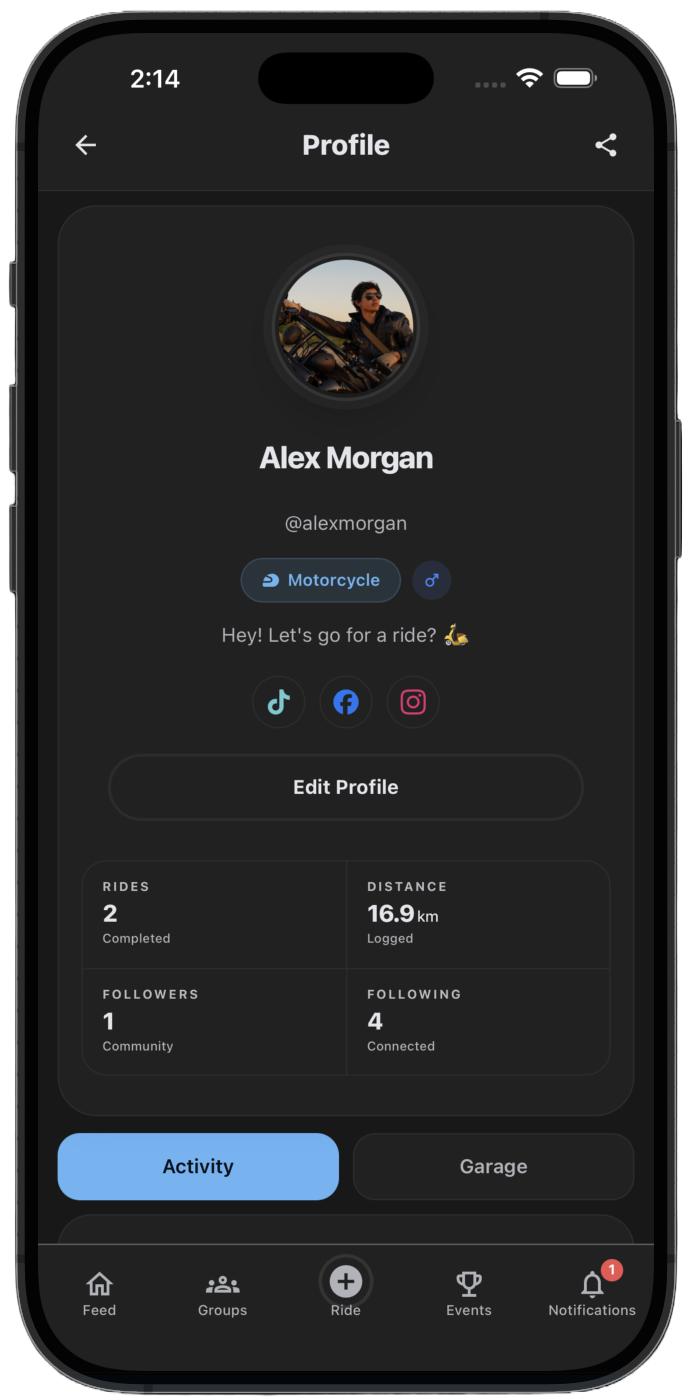
Saved motorcycle rides appear in your THRYVE activity history. You can review previous routes, compare ride stats, and share route attachments in chats when planning the next ride.
Motorcycle crews can use saved routes for future meetups, event references, and group ride planning.
Add Your Motorcycle to Garage
The Garage keeps your motorcycle details connected to your profile. Add your make, model, year, and photos so other members can see what you ride.
If you own more than one bike, add each motorcycle and choose the active vehicle that best matches the ride you are recording.
Troubleshooting Motorcycle GPS Recording
If your route has missing sections or straight lines, check location permission, precise location, battery settings, and whether your phone had a clear GPS signal during the ride.
THRYVE can record while offline and sync later, but your phone still needs GPS access to capture the route accurately.
- Turn precise location on.
- Disable battery restrictions for THRYVE during long rides.
- Avoid starting in covered parking areas where GPS is weak.
- Keep the app updated before event rides or long trips.
Common questions
Can THRYVE record a motorcycle ride in the background?
Yes. Allow background location access and avoid battery restrictions so THRYVE can continue recording while your phone is locked or another app is open.
Can I record group motorcycle rides?
Yes. Record your own activity, then share the saved route with riders, groups, or chats when planning future rides.
Where are recorded motorcycle rides saved?
Recorded rides are saved to your THRYVE account and can appear in your ride history, feed, and profile depending on your sharing and privacy settings.